
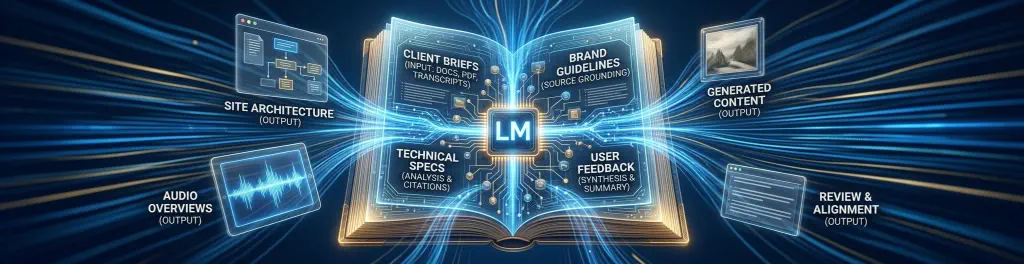
Designing Your Mind: The First-Year Student Guide to NotebookLM
How visual design and photography students can turn information overload into structured creative momentum using grounded AI.
Entering your first year of visual design or photography brings an immense volume of information. Between technical camera documentation, color theory, historical art movements—from vast surrealist scales to minimalist balance—and complex design software guides, staying organized can be daunting.
Unlike generic AI chatbots that pull unverified information from across the web, Google’s NotebookLM operates as a personalized, closed-system research assistant. It interacts exclusively with the documents and media you upload, ensuring every answer is accurate and directly linked to your sources.
- PDFs & Textbooks
- Web URLs & Articles
- YouTube Lectures
- Audio Notes
- 100% Source-Grounded
- Zero Web Hallucinations
- Instant Citations
- Multi-Source Synthesis
- Study Guides & FAQs
- Briefing Documents
- Timeline Outlines
- AI Audio Podcasts
How NotebookLM Powers Creative Workflows
NotebookLM isn’t designed to create art for you; it is designed to sharpen your understanding so that your artistic execution is seamless. Here are three primary ways to use it during your first year:
Technical Specs
Upload dense equipment manuals or high-res photography guides to extract exact camera parameters, optical settings, or software workflow steps instantly.
Aesthetic Theory
Group essays on minimalist aesthetics, restricted color palettes, or surrealist composition into single notebooks to cross-examine theoretical concepts.
Audio Overviews
Convert heavy reading assignments into dynamic two-host AI audio conversations, allowing you to listen while setting up studio gear or editing photos.
Solving Core First-Year Challenges
| Design Student Challenge | NotebookLM Solution | Output Format |
|---|---|---|
| Information Overload Drowning in dozens of PDF readings and manuals. |
Consolidates up to 50 sources per notebook into a single unified workspace. | Briefing Doc |
| Uncertainty & Fake Quotes Generic AI inventing incorrect artist facts. |
Strict closed-system grounding ensures every statement points to exact source quotes. | Direct Citations |
| Blank Canvas Block Struggling to structure a project thesis or moodboard context. |
Generates contextual follow-up questions, key topics, and structural outlines automatically. | Study Guide |
| Dense Reading Fatigue Difficulty reading long theoretical texts after studio hours. |
Generates engaging audio discussions summarizing key arguments and debates. | Audio Overview |
Create dedicated notebooks for each core course (e.g., “History of Photography” or “Color Theory & Digital Assets”). Upload all syllabus materials at the start of the semester to maintain a personal research repository that lasts through graduation.