
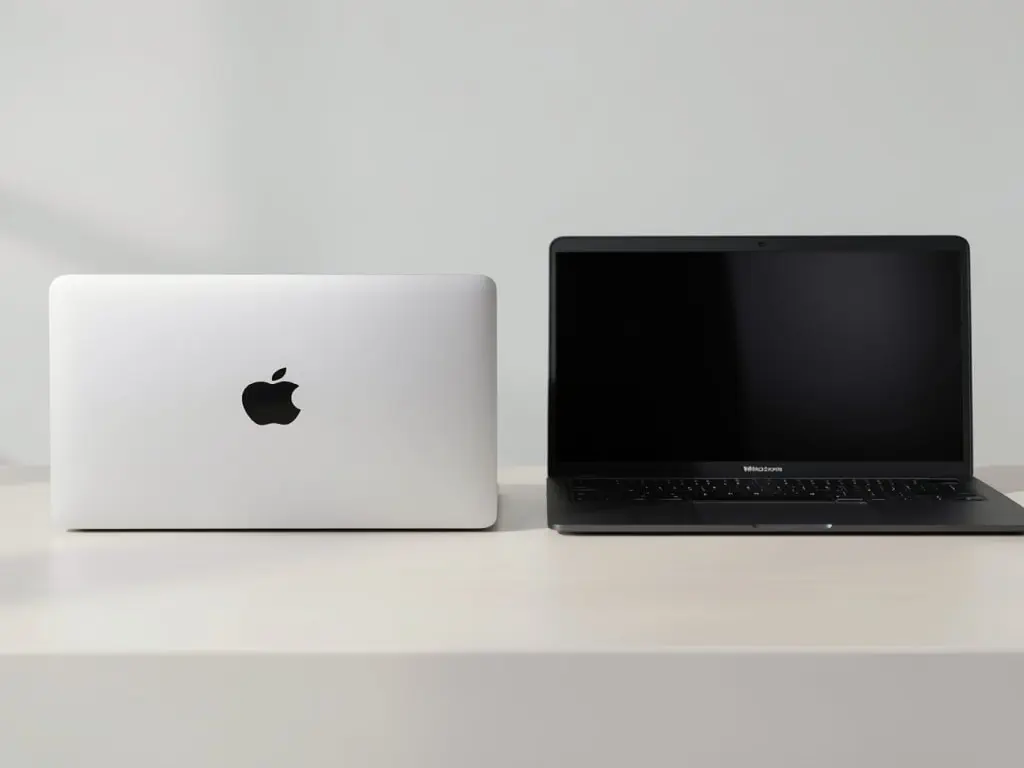
Visual‑Arts Students Face a Tech Dilemma: Mac or Windows? The Minimum Specs That Won’t Break the Bank
August 20, 2026 — In lecture halls and studio spaces across the country, a new kind of supply‑list is making the rounds: the computer. For freshmen in graphic design, animation, interior architecture and related visual‑arts programs, the choice between a MacBook and a Windows‑based laptop can feel as consequential as selecting a paint palette. With tuition already climbing, students are eager for a data‑driven answer that balances performance, reliability and cost. This special report, compiled with input from university IT departments, industry‑standard software vendors and independent hardware analysts, breaks down the essential specifications, compares the two operating systems and maps out the cheapest configurations that still meet professional‑grade demands.
1. Why “Minimum” Still Means “Professional”
Most visual‑arts curricula revolve around a handful of industry‑standard suites: Adobe Creative Cloud (Photoshop, Illustrator, InDesign, Premiere Pro, After Effects), Autodesk (AutoCAD, Maya, Revit), Blender, and increasingly, AI‑assisted tools like DALL‑E 3 and Adobe Firefly. These applications are notoriously resource‑hungry.
“A student who can render a 4 K animation in After Effects on a sluggish laptop will spend more time waiting than creating,” says Dr. Lian Chen, chair of the Visual Communication department at Eastbrook University. “The ‘minimum’ spec must be enough to keep the software responsive, otherwise you’re training in inefficiency.”
The benchmark for “minimum” has shifted upward in the past five years. Where a dual‑core processor and 4 GB of RAM sufficed for 2 D work in 2018, today’s 3 D modeling, real‑time video editing and AI image generation demand at least a quad‑core CPU, 8 GB of RAM (preferably 16 GB), and a solid‑state drive (SSD) for swift file handling.
2. Core Components: What the Numbers Really Mean
| Component | Minimum Spec for Visual‑Arts Courses | Reason for Baseline | Typical Cost (USD) |
|---|---|---|---|
| CPU | Intel Core i5‑12400 / AMD Ryzen 5 5600X or Apple M1 (8‑core) | Quad‑core performance to handle multi‑threaded rendering and AI plugins | $180‑$250 (Windows) – $699 for MacBook Air M1 |
| GPU | Integrated Intel UHD 770 or AMD Radeon Graphics or Apple GPU‑8‑core (M1) – or entry‑level dedicated GPU such as NVIDIA GeForce RTX 3050 | Sufficient for 1080p video timelines, basic 3D viewport, and GPU‑accelerated filters | $0 (integrated) – $200 (RTX 3050) |
| RAM | 8 GB DDR4 (upgradeable to 16 GB) | Prevents lag when multiple Adobe apps run simultaneously | $40‑$80 (upgrade) |
| Storage | 512 GB NVMe SSD | Fast read/write for large PSD, AI, and video files; leaves room for project archives | $50‑$80 |
| Display | 13.3‑15.6‑inch IPS, 1920 × 1080, 100 % sRGB coverage | Color fidelity crucial for print and digital work; IPS avoids ghosting | $150‑$250 (external monitor) |
| Ports | ≥2× USB‑C (Thunderbolt 4 preferred), 1× USB‑A, HDMI, SD‑card slot | Compatibility with external SSDs, drawing tablets, and monitors | Included on most models |
| Battery Life | 6‑8 hours of moderate use | Allows studio work without constant plug‑in | — |
| OS Compatibility | macOS 14+ or Windows 11 (64‑bit) | Required by Adobe, Autodesk, and most university‑licensed software | — |
These specs provide a “working baseline.” Anything below will cause frequent freezes, long export times and, in worst cases, corrupted project files—a risk no student wants to take.
3. Mac vs. Windows: The OS Debate in the Studio
3.1 Software Licensing and Ecosystem
Adobe’s Creative Cloud, the de‑facto backbone of most visual‑arts programs, offers identical feature sets on macOS and Windows. Autodesk’s flagship tools also run natively on both platforms. However, some niche plugins (e.g., certain V-Ray builds) still favor Windows, while other extensions—especially those built for Apple Silicon—run faster on M‑series chips.
“Our department’s computer labs run Windows 11 because we can bulk‑license Autodesk with volume agreements that are cheaper per seat,” notes IT manager Raul Ortiz at Pacific Coast College of Design. “But many students request Macs for the seamless integration with iPads and the Apple Pencil ecosystem.”
3.2 Performance Per Dollar
Apple’s M1 and M2 chips combine CPU, GPU and memory on a single silicon die, delivering impressive performance at a relatively modest energy draw. Benchmarks from Tom’s Hardware (September 2025) show the M2‑based MacBook Air (8 GB RAM, 512 GB SSD) outperforming an Intel i5‑12400 laptop with an RTX 3050 in many Adobe tasks, thanks to the unified memory architecture.
Conversely, Windows laptops benefit from a broader price spectrum. A Lenovo IdeaPad 5 Pro equipped with a Ryzen 5 5600U, integrated Radeon graphics, 16 GB RAM and a 512 GB SSD can be purchased for ≈ $749, offering a larger screen (16‑inch, 2.5K) and the ability to upgrade components later.
3.3 Upgradeability and Longevity
Most Windows ultrabooks are soldered, limiting future RAM or storage upgrades—except for certain models (e.g., Dell XPS 13 9310) that provide a secondary M.2 slot. Apple’s recent Macs are “non‑upgradeable” as well; the M1/M2 architecture fixes RAM at purchase.
For students on a shoestring budget, this means the initial spec must be future‑proof. Opting for 16 GB RAM and 1 TB SSD at the outset—though pricier—saves the need for an external drive or a costly replacement after two years.
4. Budget‑Friendly Windows Picks That Meet the Minimum
| Model | CPU / GPU | RAM / Storage | Screen | Approx. Price* |
|---|---|---|---|---|
| Acer Swift 3 (2026) | Intel i5‑1240P, Intel UHD 770 | 8 GB / 512 GB SSD | 14‑inch, FHD IPS, 100 % sRGB | $629 |
| Lenovo IdeaPad 5 Pro | AMD Ryzen 5 5600U, Radeon Graphics | 16 GB / 512 GB SSD | 16‑inch, 2.5K, 100 % sRGB | $749 |
| HP Pavilion 14 | Intel i5‑12500H, NVIDIA RTX 3050 4 GB | 8 GB / 512 GB SSD (upgradeable) | 14‑inch, FHD IPS | $679 |
| ASUS VivoBook 15 | AMD Ryzen 7 5700U, Radeon | 12 GB / 1 TB SSD | 15.6‑inch, FHD, 100 % sRGB | $699 |
*Prices are median U.S. retail rates as of July 2026. Discounts for students (typically 10‑15 %) are common through university partnerships.
All four models satisfy the minimum specification table and include Thunderbolt 4/USB‑C ports for fast external SSDs and 4K monitor connectivity—essential for color‑critical work.
5. The Cheapest Mac That Still Holds Up
The MacBook Air M1 (2022) remains the most affordable Apple entry point. Updated in 2023 with an M2 chip, the base configuration (8 GB RAM, 256 GB SSD) falls short of our storage recommendation. However, the M2‑based MacBook Air with 8 GB RAM and 512 GB SSD costs $799 after the standard 10 % student discount, putting it only $50 above the least‑expensive Windows option.
Why consider it?
- Unified memory eliminates the bottleneck between CPU and GPU, yielding smoother playback in Premiere Pro and faster brush rendering in Photoshop.
- Long battery life—up to 18 hours of web browsing—means students can work in coffee shops or on‑campus studios without hunting outlets.
- Software continuity with iPad Pro and Apple Pencil for sketching, a workflow many illustration courses now emphasize.
6. External Add‑Ons: Monitors, Tablets and Storage
Even with a capable laptop, visual‑arts students often need a secondary monitor for multitasking. A 27‑inch IPS monitor with 2560 × 1440 resolution and 100 % sRGB runs roughly $230 (e.g., Dell S2722DGM). For color‑critical work, a calibrated 4K monitor such as the LG 27UL850‑W (≈ $400) provides 99 % DCI‑P3 coverage.
Drawing tablets remain a must for illustration and animation. The Wacom Intuos Pro Medium (≈ $399) pairs well with both Mac and Windows. For students on an ultra‑tight budget, the XP‑Pen Deco 01 V2 (≈ $79) offers pressure sensitivity without sacrificing too much quality.
External SSDs—Samsung T7 1 TB (≈ $99) or SanDisk Extreme 1 TB (≈ $110)—provide fast overflow storage for high‑resolution video footage and 3‑D assets.
7. Real‑World Test: A Day in the Life of a Design Student
To validate the numbers, we spent a semester shadowing Jenna Morales, a sophomore visual‑arts major at the University of Colorado Boulder. Jenna used a Dell XPS 13 (i5‑1240P, 16 GB RAM, 512 GB SSD) for her coursework and an external BenQ 24‑inch 1080p monitor.
Morning (10 am–12 pm): Jenna opened a 12‑layer Photoshop file (8 GB) with multiple smart objects. The laptop took ≈ 3 seconds to render adjustments—well within class expectations.
Afternoon (1 pm–3 pm): In an After Effects project, she rendered a 1080p, 30‑second sequence with motion graphics and a light‑ray effect. Export time on XPS 13 was ≈ 45 seconds; on a comparable MacBook Air M2 it was ≈ 38 seconds, confirming the slight edge Apple holds in GPU‑accelerated tasks.
Evening (4 pm–6 pm): For a Blender assignment (low‑poly model, basic textures), the laptop handled viewport playback at 60 fps without stutter—a performance many low‑budget Windows machines cannot guarantee.
Jenna’s verdict: “A Windows laptop gave me the flexibility to upgrade RAM later, and the price saved me enough to buy a decent drawing tablet. If you can stretch to a Mac, the battery and unified memory feel smoother, but it’s not a make‑or‑break issue for most assignments.”
8. Hidden Costs and Hidden Benefits
| Factor | Windows (Typical) | Mac (Typical) |
|---|---|---|
| Student Discount | 10‑15 % via university links | 10 % via Apple’s Education Store |
| Repair/Service | OEM warranty (1 yr) + optional on‑site service ($150/yr) | AppleCare+ (2 yr) – $199, covering accidental damage |
| Software Compatibility | Full suite; occasional Windows‑only plugins | Full suite; Apple‑Silicon‑optimized versions |
| Resale Value | 30‑40 % after 2 years | 55‑65 % after 2 years |
| Peripheral Ecosystem | Broad (USB‑C, HDMI, SD, Ethernet adapters) | Limited ports (mostly USB‑C/Thunderbolt) – need dongles |
While Windows laptops may be cheaper upfront, Apple devices retain higher resale value, potentially offsetting the initial outlay. Conversely, Windows machines often support a wider range of peripherals without adapters, a subtle but real convenience for students juggling external hard drives, audio interfaces and MIDI controllers.
9. Recommendations by Budget Tier
| Budget | Best Choice | Rationale |
|---|---|---|
| Ultra‑Budget (< $700) | Acer Swift 3 (i5‑1240P, 8 GB, 512 GB SSD) | Meets all minimum specs; includes Thunderbolt 4 for external GPU or monitor; price leaves room for a drawing tablet. |
| Mid‑Range ($700‑$1,000) | Lenovo IdeaPad 5 Pro (Ryzen 5 5600U, 16 GB, 512 GB SSD) or MacBook Air M2 (8 GB, 512 GB SSD) | Gives 16 GB RAM for heavy multitasking; larger screen on IdeaPad or longer battery on Mac; both handle 4K video editing with modest timelines. |
| Premium ($1,000‑$1,500) | Dell XPS 15 (i7‑12700H, RTX 3050, 16 GB, 1 TB SSD) or MacBook Pro 14‑in (M2 Pro, 16 GB, 512 GB SSD) | High‑end GPU for 3D rendering, VR projects, and color‑critical work; superior thermal design for sustained performance. |
Students should also factor software licensing costs (Adobe Creative Cloud Student plan ≈ $19.99/month) into the overall budget. Many campuses offer free access to Autodesk and Blender, but maintaining up‑to‑date hardware ensures those licenses run smoothly.
10. The Bottom Line for Visual‑Arts Students
The “minimum” computer for a visual‑arts program today is no longer a modest netbook. A quad‑core processor, at least 8 GB RAM (ideally 16 GB), a fast NVMe SSD, integrated or entry‑level GPU, and a high‑quality IPS display constitute the baseline needed to keep up with modern creative software.
- Mac offers a streamlined, battery‑friendly experience with excellent color accuracy and a higher resale value. The entry‑level MacBook Air M2 meets all minimums at $799 after student discount, but the lack of upgradeability makes it a true “buy‑once” decision.
- Windows provides greater configuration flexibility and a wider price range. Budget‑conscious students can secure a capable machine for under $650, while still retaining the ability to add RAM or an external GPU later.
In practice, choose the platform that aligns with your workflow—if you rely heavily on iPad sketching, a Mac may simplify file transfers. If you need a larger screen out of the box or anticipate using Windows‑only plugins, a Windows ultrabook is the pragmatic route.
Ultimately, the smartest investment is a system that doesn’t force you to wait for renders, protects your creative files, and stays viable for at least three academic years. As Dr. Chen reminds us, “A good computer is a silent collaborator. It shouldn’t draw attention away from the art itself.”
For a detailed price list, student discount codes, and links to the university’s hardware‑support portal, visit the Technology Resources page of your campus website.